The AI Page Builder allows merchants to dynamically create, manage, and test AI-generated site variants, page layouts, and custom configurations without touching traditional code.
To access the AI Page Builder, navigate through the nav menu located on the top left.
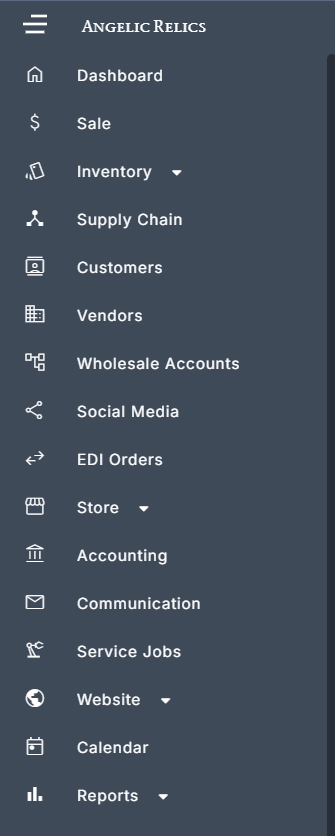
Once the nav menu is open click on Website then Pages
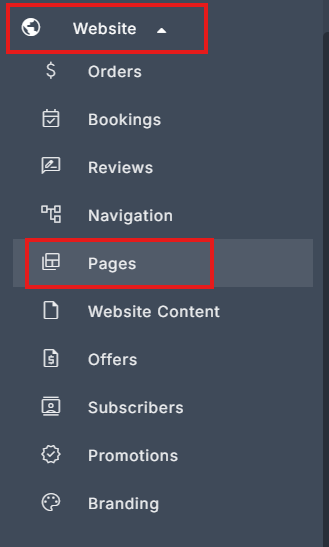
Once you are on the Pages section, click on AI Pages. You should now be on the AI Page Builder.
Key Features & Settings Breakdown
Site Structure & Page Types
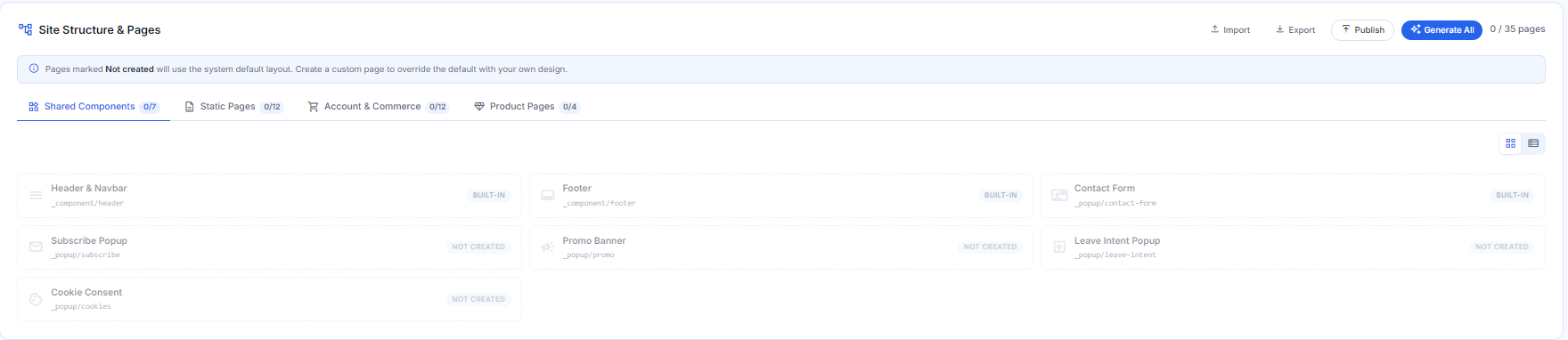
Organize and edit site content across organized categories:
Shared Components: Manage global section templates (headers, footers, announcements).
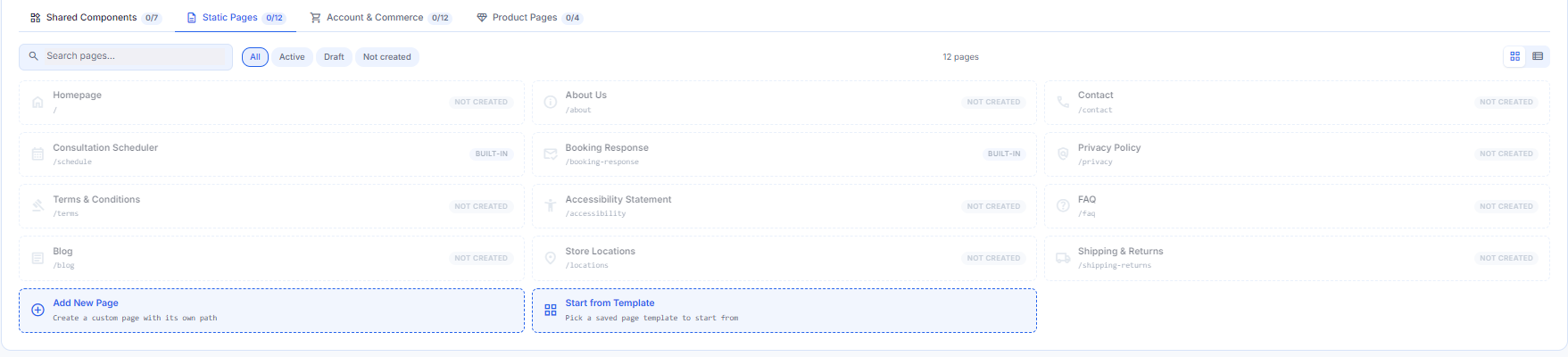
Static Pages: Manage core pages like Homepage, About Us, Contact, Terms & Conditions, or create custom paths.
Account & Commerce: Standard pages like Cart, Checkout, and Customer Account.

Product Pages: Templates for product detail and collection listings.

Variants & Testing Management
Variant Tabs: Create and manage multiple site variants simultaneously (e.g., Site J - Project Test, Site Variant for Summer, Vincent's Jewelers).
Live Preview: Preview draft variants via unique testing URLs before pushing them live (e.g.,
Variant - preview at /ai/_v/testbuilder/).Publishing Actions:
Save as Template: Save a successful layout configuration as a reusable template.
Copy from Active: Instantly pull in settings and pages from the current active site.
Make Active: Set the selected variant live across the storefront.

Builder Navigation & Customization Tabs
Pages: Manage individual page structures and content.
Navigation: Provides full visibility into nested menu items, page routing, and item-level status indicators across your header and footer menus.
Store Filters: Allows merchants to configure the sidebar and inline filter groups shown across shop, search, catalog, and collection pages.
Brand Identity: Set up design rules, typography, color palettes, logos, brand profile and mood board.
SEO: Real-time health dashboard that automatically scans and evaluates the search engine optimization (SEO) readiness of all pages within the selected site variant.
Custom CSS & Scripts: Allows merchants and developers to inject custom global styles, fonts, and visual overrides across all AI-generated pages and previews within the selected site variant.

Troubleshooting
For any issues encountered during the submission of the Customer Repair Job, please contact Flawless POS support for assistance.
Was this article helpful?
That’s Great!
Thank you for your feedback
Sorry! We couldn't be helpful
Thank you for your feedback
Feedback sent
We appreciate your effort and will try to fix the article