This article explains how to use the Customer Memo Out feature in the point of sale to temporarily loan in‑stock merchandise to a customer, and then either complete the purchase or process the return when the customer comes back.
Step 1: Open the Point of Sale and Select a Customer
Open the Point of Sale module and select the customer who will be taking the item on memo.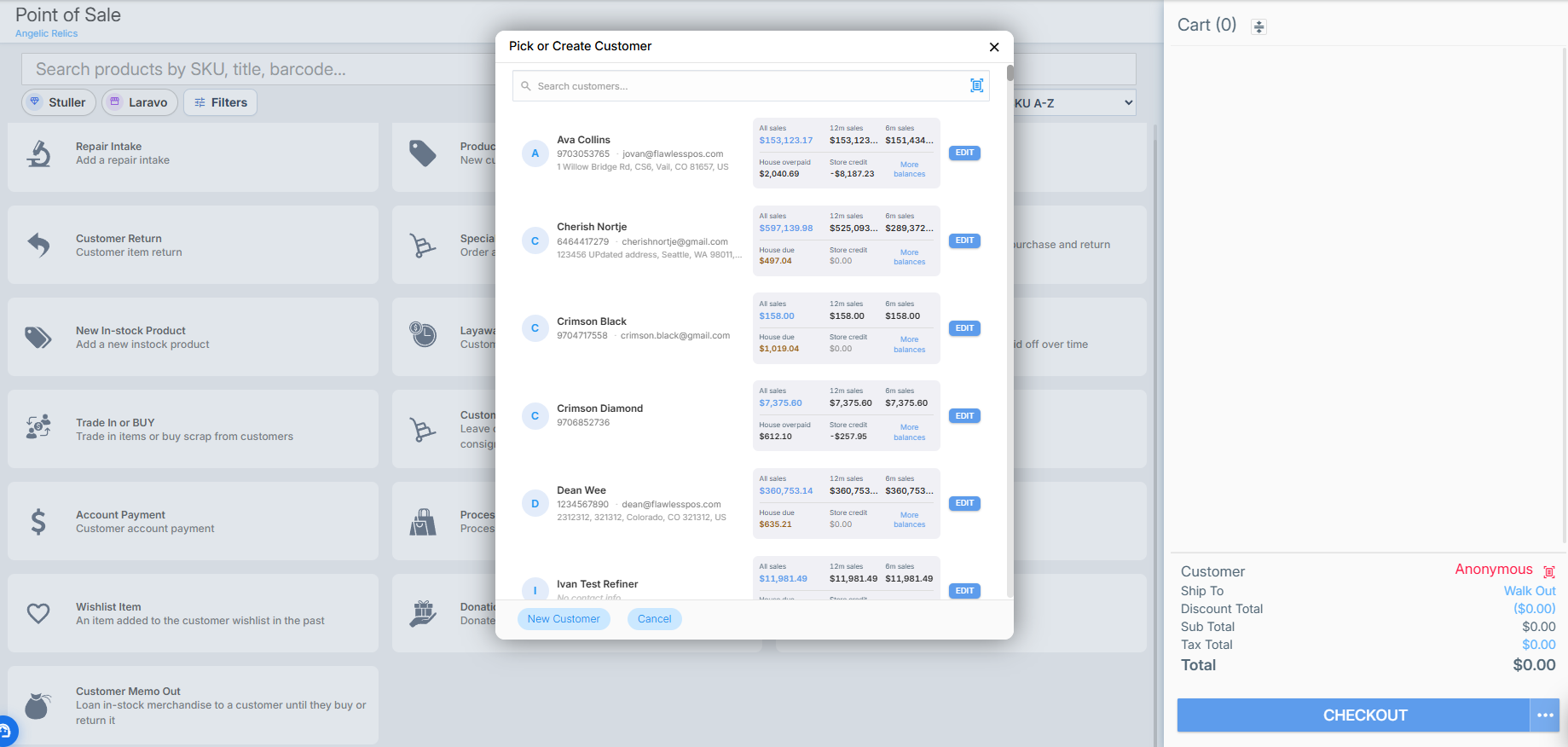
Step 2: Start a Customer Memo Out
Click the Customer Memo Outbutton to begin the memo process for the selected customer.
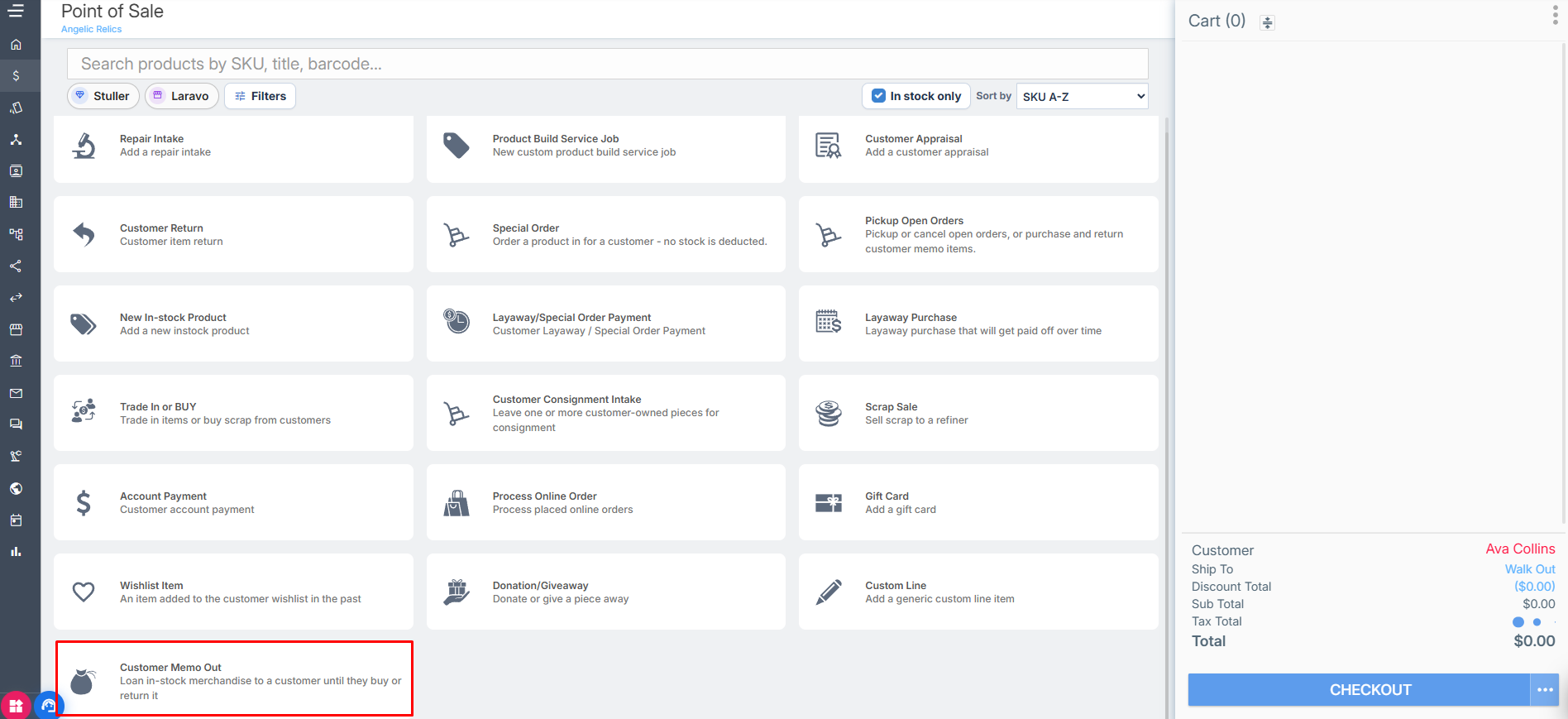
Step 3: Select the Product and Set Expected Return Date
On the product selection screen, choose the in‑stock product that will be memo'd out to the customer.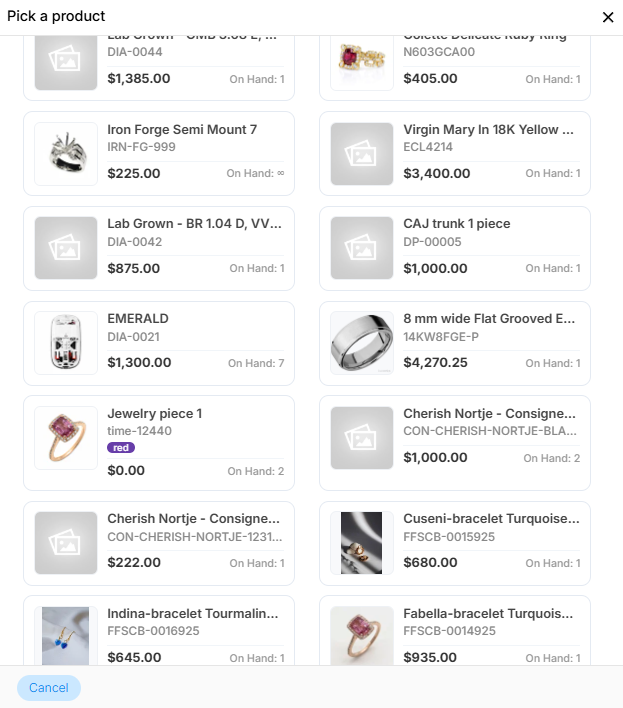
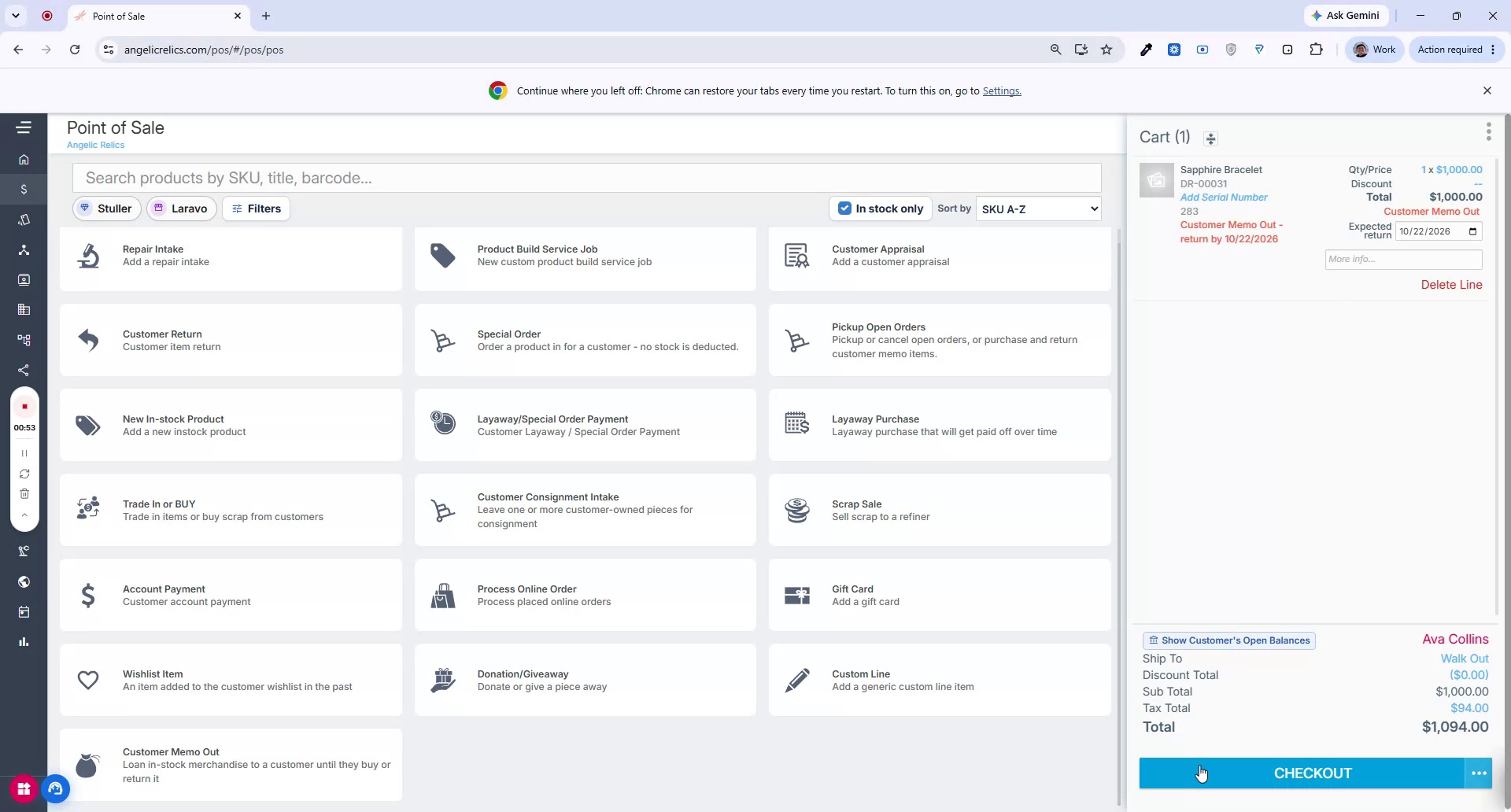
Review the cart details on the right side to confirm the item is marked as a Customer Memo Out item, and set the Expected Return Datefor the memo.
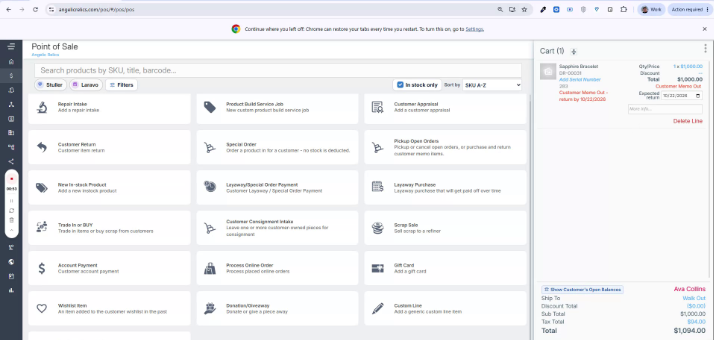
Step 4: Check Out the Memo Out Sale
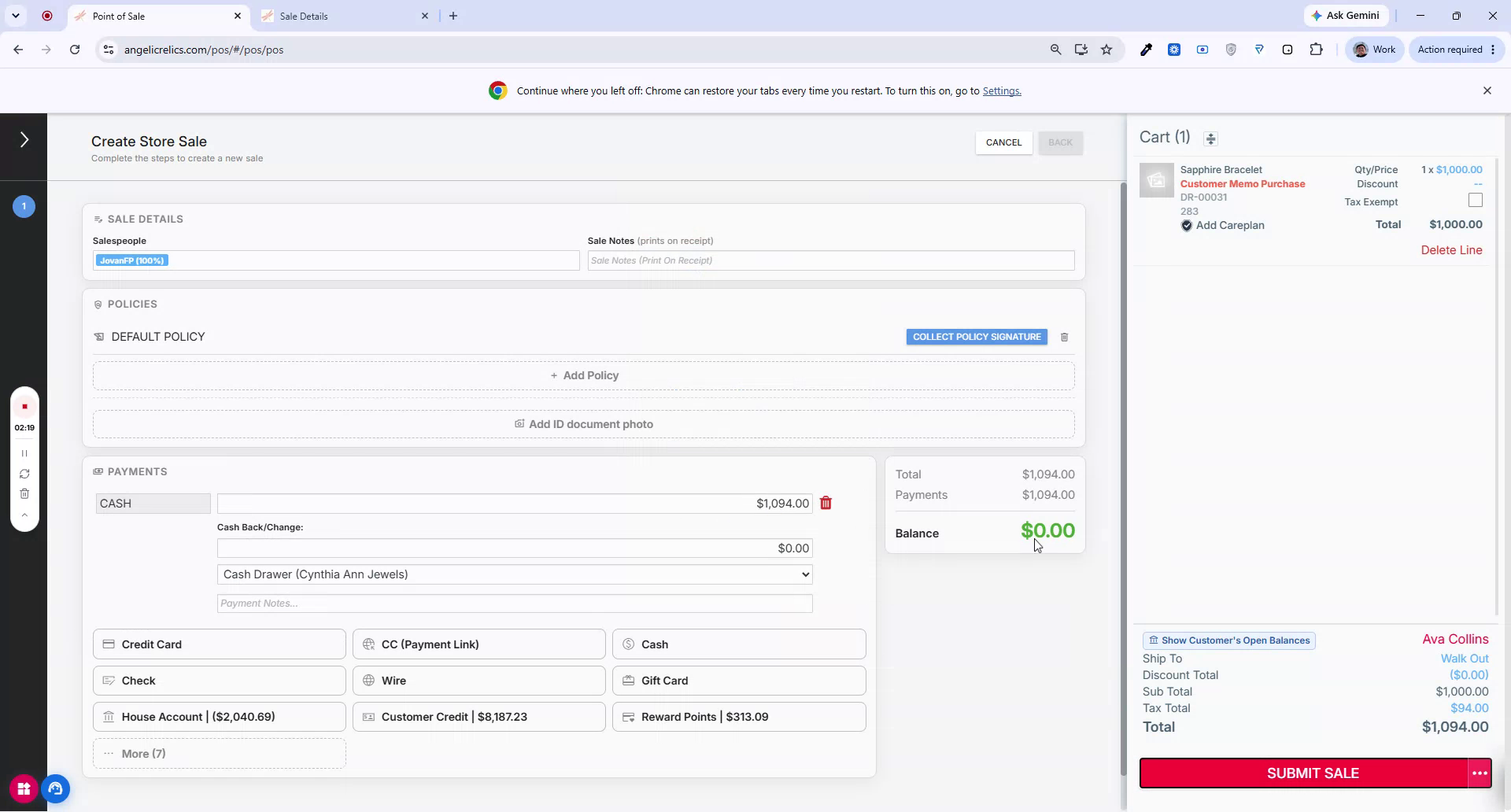
Click Checkout to proceed.
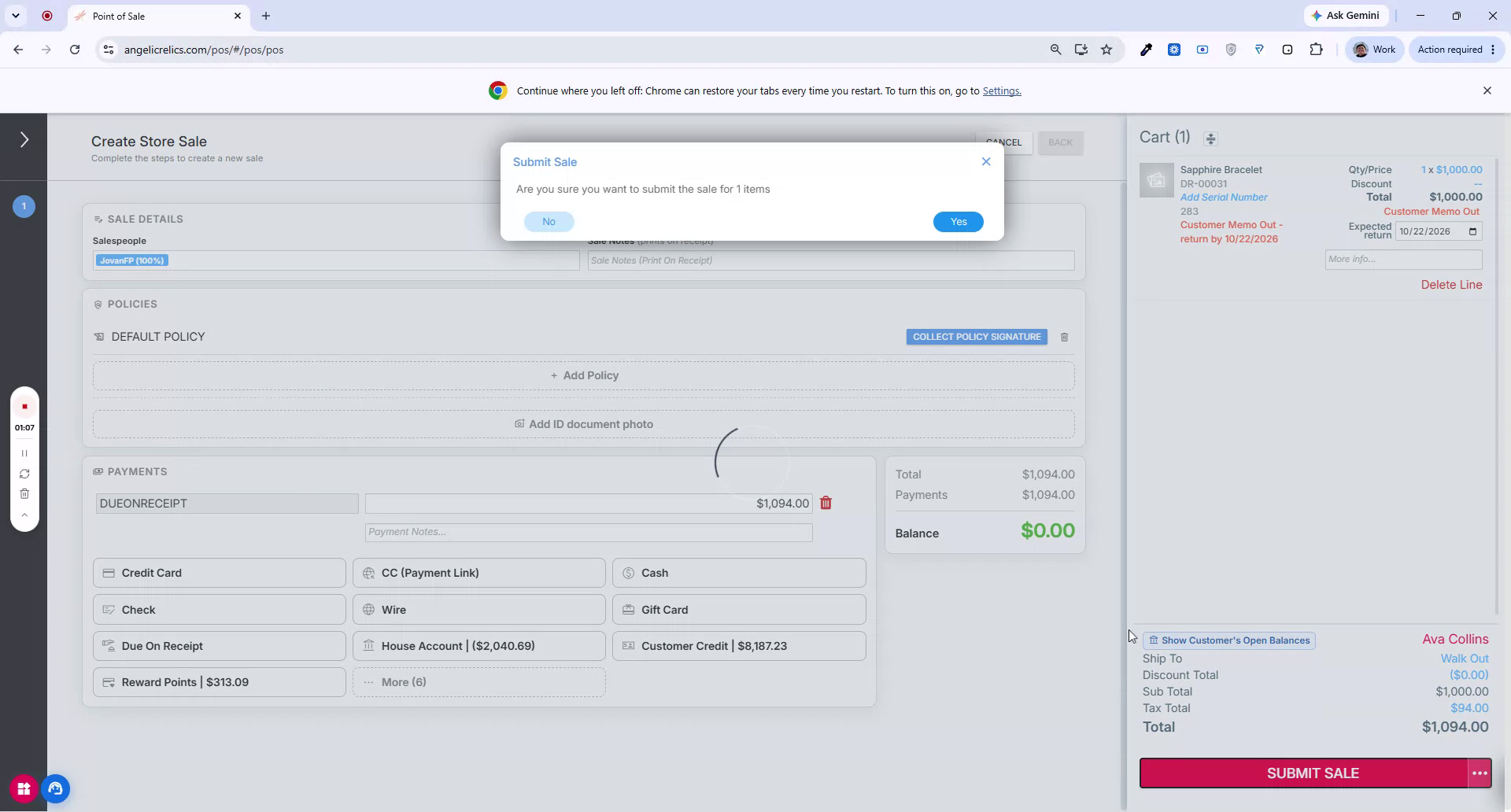
The payment will default to Due on Receipt, since the item will either be returned or purchased later. Submit the sale as you normally would.
Step 5: Review the Customer Memo Out Receipt
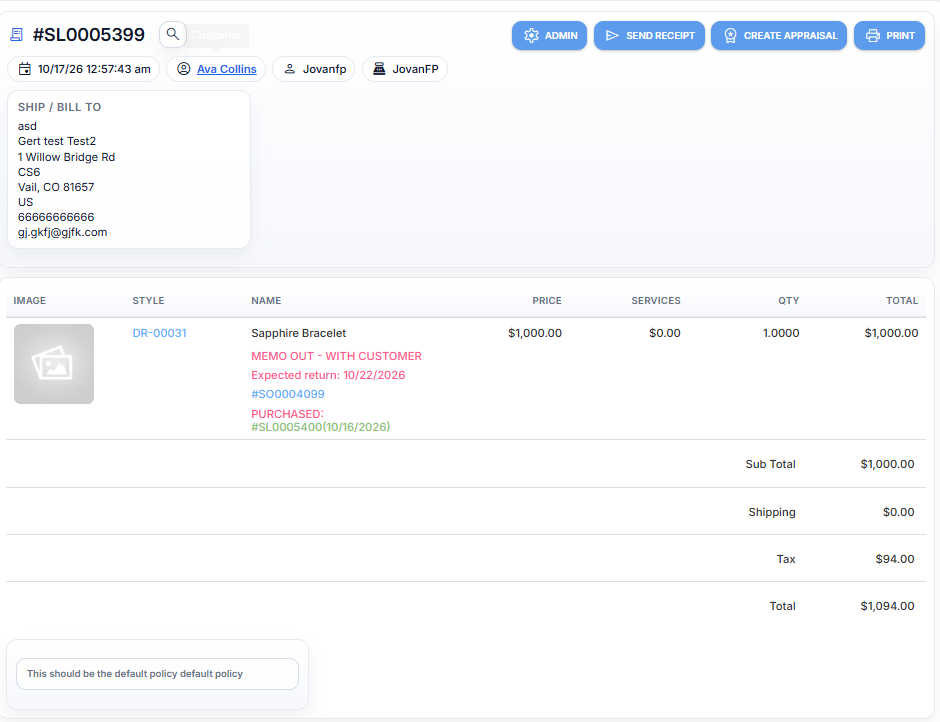
After submitting, review the receipt for this sale.
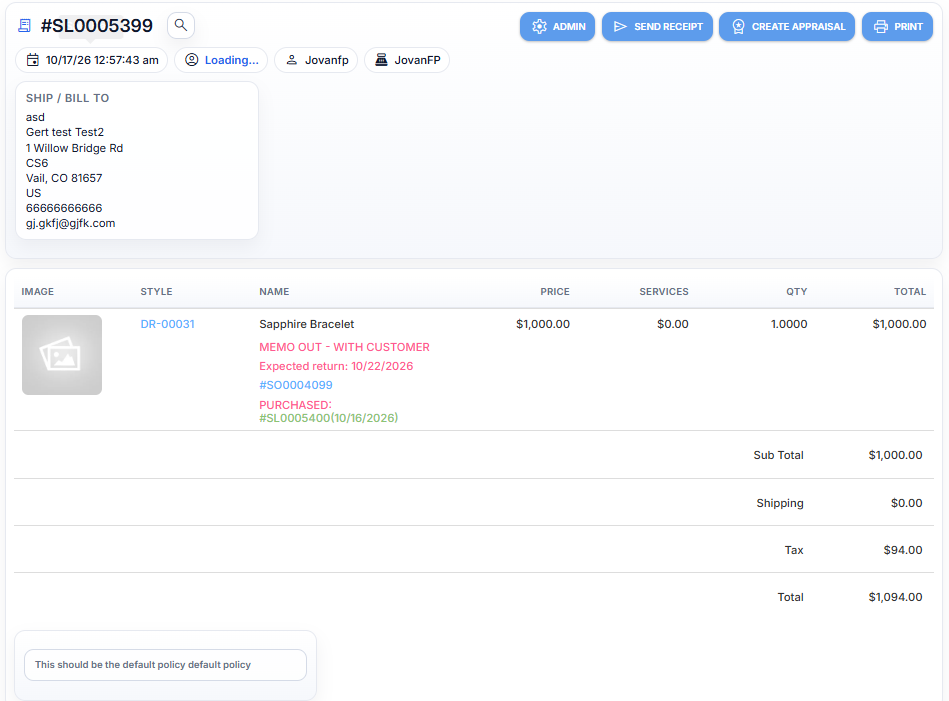
Confirm that it shows the item as memoed out to the customer, including the expected return date and other relevant sale details.
Step 6: Locate the Memo Out When the Customer Returns
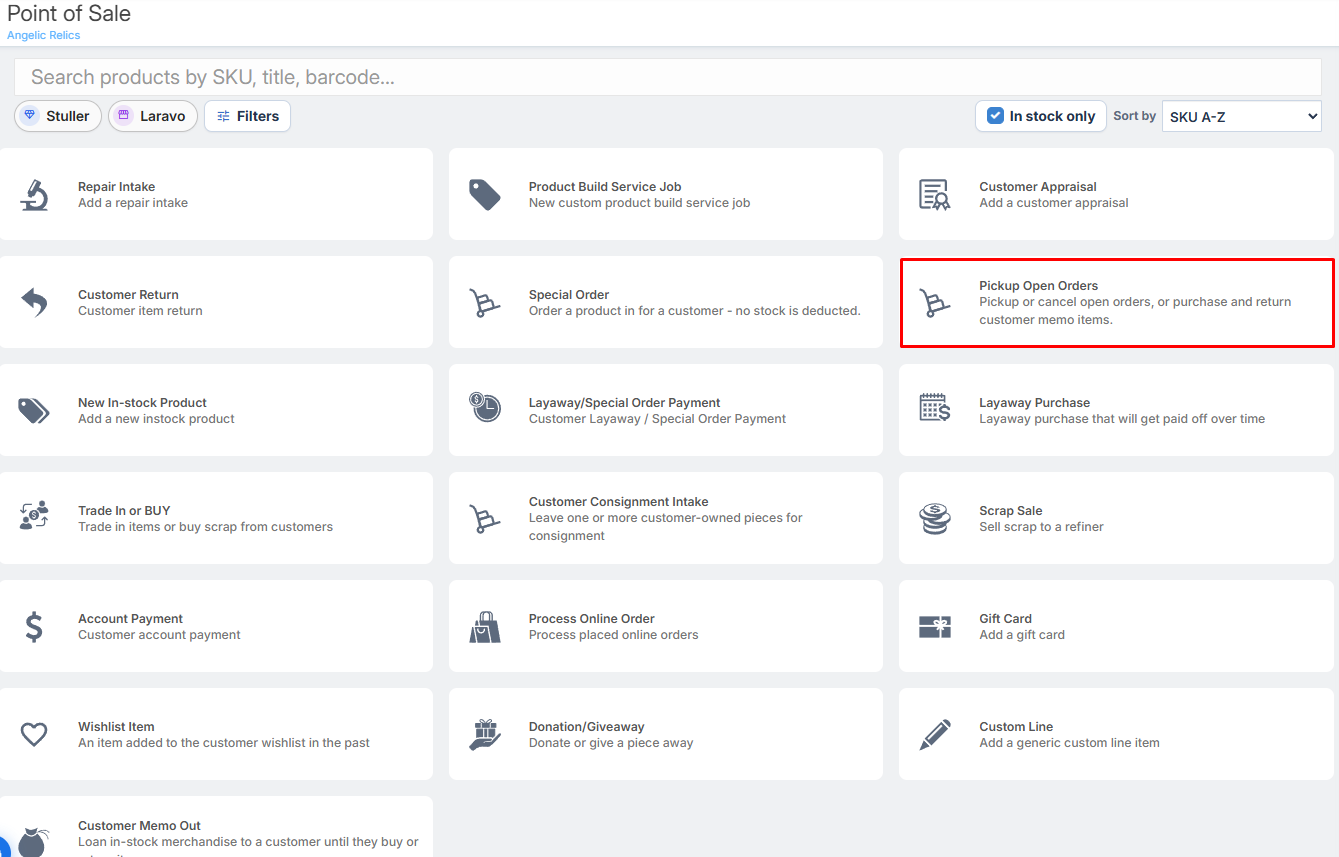
When the customer returns on or after the expected return date and decides what to do with the item, go to Pick Up Open Orders. This is where the memo'd out item appears, since it is considered a pending order.
Step 7: Choose to Purchase or Return the Memo'd Item
From the open order, decide whether the customer is purchasing or returning the item:
To purchase the memoed item, set the Pickup quantity to
1for the item and add the selected item to the sale.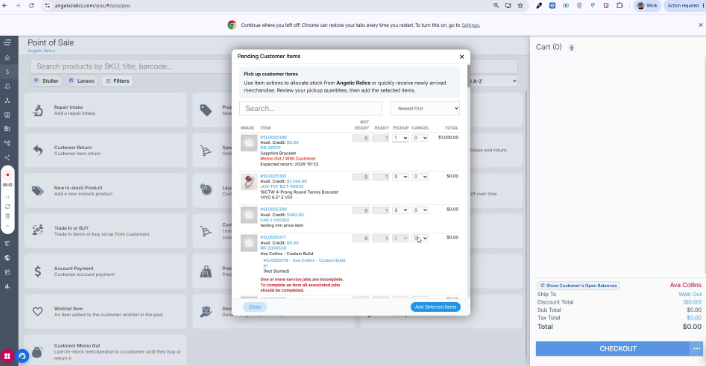
To return the memoed item, select Cancel, which indicates the customer is returning the item to your inventory.
Once the pickup is set for purchase, complete the sale as usual.
Step 8: Confirm the Final Sale of the Memo'd Item
After completing the transaction, the previously memoed item is now recorded as purchased by the customer.
Open the sale record to verify that the memoed item appears as a normal sale.
The Customer Memo Out feature allows you to loan items, then either finalize the purchase or record a return when the customer comes back.
Troubleshooting
For issues when doing a Customer Memo Out, please contact Flawless POS support for further assistance.
Was this article helpful?
That’s Great!
Thank you for your feedback
Sorry! We couldn't be helpful
Thank you for your feedback
Feedback sent
We appreciate your effort and will try to fix the article