In this guide, we’ll give you a brief overview of the Analytics section of Flawless Socials .Flawless Socials is a unified social media post scheduler and publisher designed to create, customize, and distribute content across multiple platforms simultaneously.
Step 1: Accessing Analytics Section of Flawless Socials
To begin, access the POS module by following these steps:
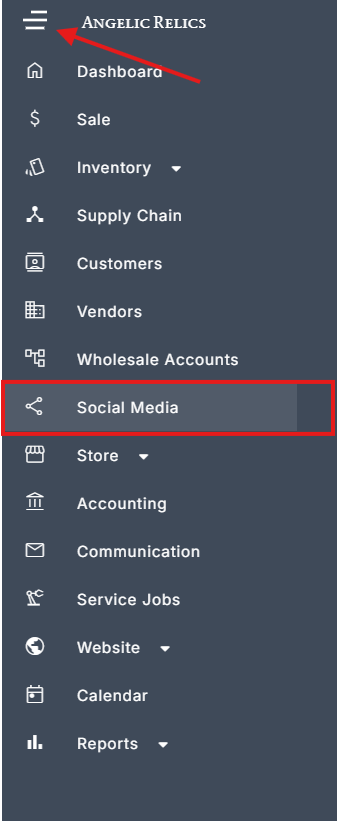
Open the Left Navigation Menu on your dashboard.
Select the Social Media option from the menu.
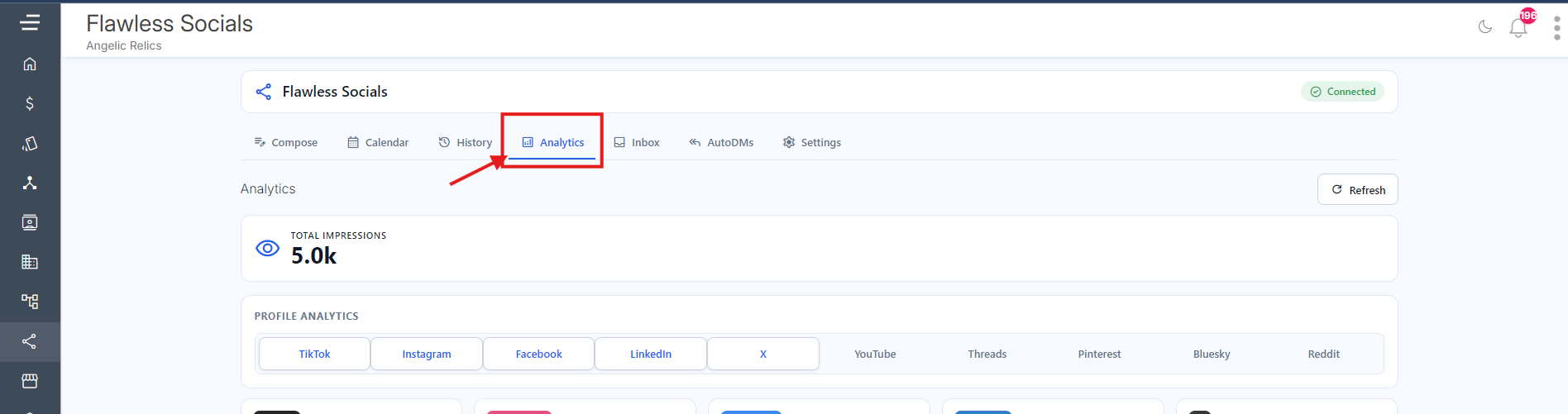
The Analytics Section is found on the fourth selection just after History, click on it
Step 2: Total Impressions
At the very top, the dashboard features a Total Impressions counter (showing 5.0k).
Function: This gives you a quick, bird's-eye view of your brand's overall visibility across all connected platforms combined.

Step 3: Profile Analytics
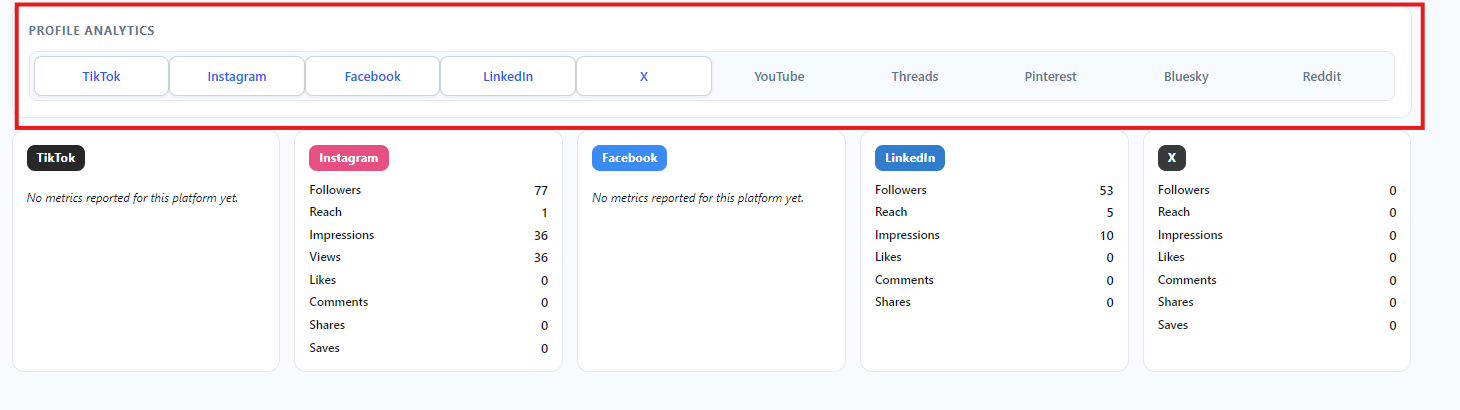
Under "Profile Analytics," there is a horizontal navigation bar listing multiple major social media platforms: TikTok, Instagram, Facebook, LinkedIn, X (Twitter), YouTube, Threads, Pinterest, Bluesky, and Reddit.
Function: This acts as a filter. Users can likely click on these individual tabs to dive deeper into platform-specific data graphs, trends, or post-by-post breakdowns.
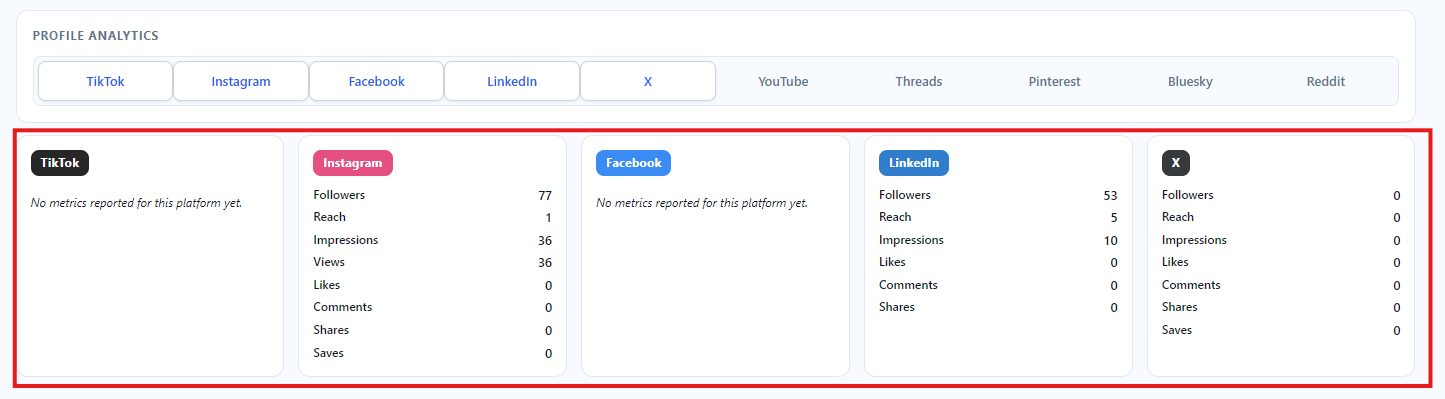
The bottom section displays individual dashboard cards for specific social networks. This allows you to compare how different channels are performing side-by-side.
These cards are actively pulling in metrics. They break down performance by specific Key Performance Indicators (KPIs) such as:
Audience Size: Followers (e.g., 77 on Instagram, 53 on LinkedIn).
Visibility: Reach and Impressions.
Engagement: Likes, Comments, Shares, and Saves.
 Note: You can select which platform that you wanna view by just selecting them, for the example below I just selected IG as the only one showing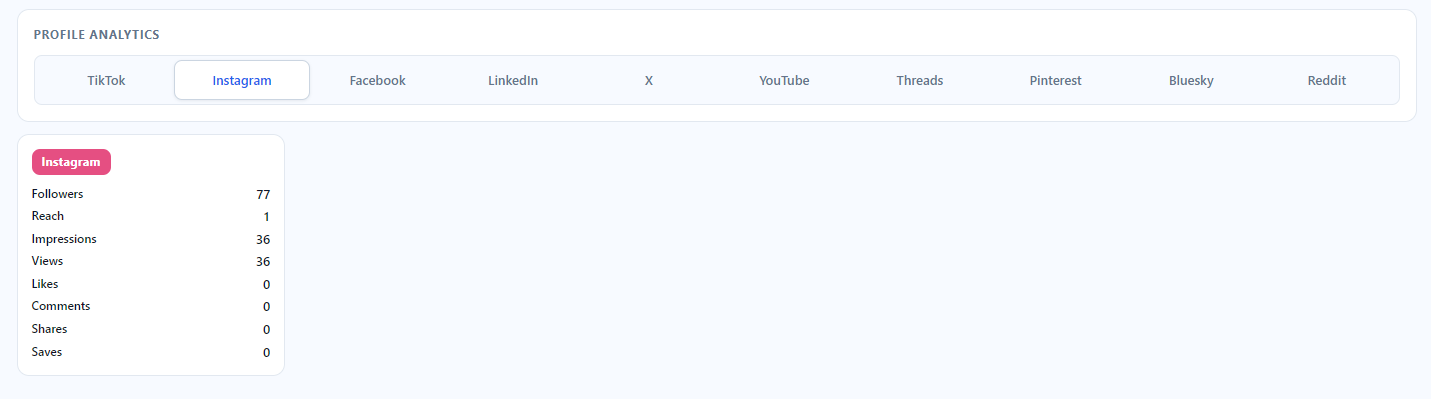
Ultimately, the function of a dashboard like this is to save time and drive strategy. Instead of logging into five different apps to check your views and followers, a marketer or business owner can open this single page to instantly see which platforms are growing, which ones are stalling, and where they need to focus their content efforts.
Troubleshooting
If you encounter any issues while trying to submit a New Sale through the POS, please reach out to Flawless POS customer support for technical assistance.
Was this article helpful?
That’s Great!
Thank you for your feedback
Sorry! We couldn't be helpful
Thank you for your feedback
Feedback sent
We appreciate your effort and will try to fix the article